bash(set)コマンド
オプション3選
並河 祐貴 (Yuuki NAMIKAWA)
id:rx7 / @namikawa
nanapi勉強会 Vol.2, 2014/05/29
自己紹介
• 並河 祐貴 (a.k.a. id:rx7)
• (株)サイバーエージェント所属
• エンジニア(Ops)
• Blog: http://d.hatena.ne.jp/rx7/
• Twitter: @namikawa
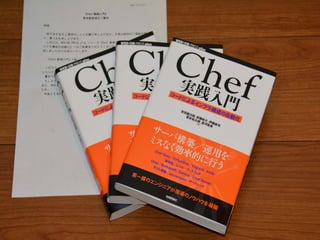
• 著書・寄稿多数
Historyに残っているコマンド
実⾏数のランキング
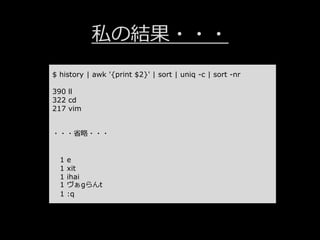
$ history | awk '{print $2}' | sort | uniq -c | sort -nr
私の結果・・・
$ history | awk '{print $2}' | sort | uniq -c | sort -nr
390 ll
322 cd
217 vim
・・・省略・・・
1 e
1 xit
1 ihai
1 ヴぁgらんt
1 :q
本題
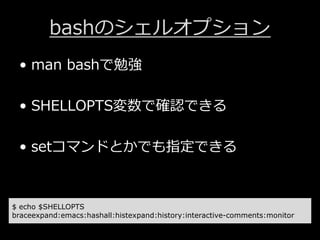
bashのシェルオプション
• man bashで勉強
• SHELLOPTS変数で確認できる
• setコマンドとかでも指定できる
$ echo $SHELLOPTS
braceexpand:emacs:hashall:histexpand:history:interactive-comments:monitor
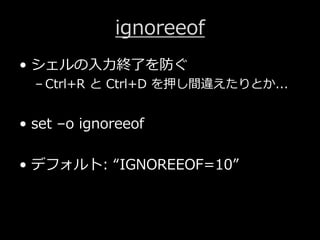
ignoreeof
• シェルの⼊⼒終了を防ぐ
– Ctrl+R と Ctrl+D を押し間違えたりとか...
• set –o ignoreeof
• デフォルト: “IGNOREEOF=10”
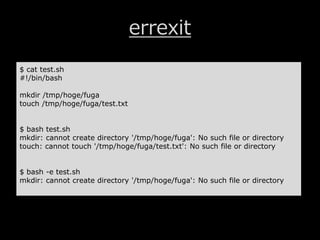
errexit
• シェルスクリプト内でエラーが発生した
場合に、そこで終了
• set –e [or] set –o errexit
errexit
$ cat test.sh
#!/bin/bash
mkdir /tmp/hoge/fuga
touch /tmp/hoge/fuga/test.txt
$ bash test.sh
mkdir: cannot create directory '/tmp/hoge/fuga': No such file or directory
touch: cannot touch '/tmp/hoge/fuga/test.txt': No such file or directory
$ bash -e test.sh
mkdir: cannot create directory '/tmp/hoge/fuga': No such file or directory
xtrace
• シェルスクリプト内で実⾏したコマンド
を細かく出⼒・展開してくれる
• set –x [or] set –o xtrace
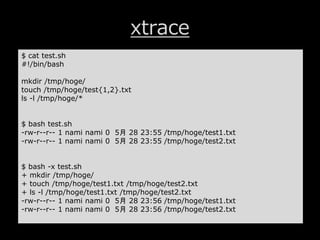
xtrace
$ cat test.sh
#!/bin/bash
mkdir /tmp/hoge/
touch /tmp/hoge/test{1,2}.txt
ls -l /tmp/hoge/*
$ bash test.sh
-rw-r--r-- 1 nami nami 0 5月 28 23:55 /tmp/hoge/test1.txt
-rw-r--r-- 1 nami nami 0 5月 28 23:55 /tmp/hoge/test2.txt
$ bash -x test.sh
+ mkdir /tmp/hoge/
+ touch /tmp/hoge/test1.txt /tmp/hoge/test2.txt
+ ls -l /tmp/hoge/test1.txt /tmp/hoge/test2.txt
-rw-r--r-- 1 nami nami 0 5月 28 23:56 /tmp/hoge/test1.txt
-rw-r--r-- 1 nami nami 0 5月 28 23:56 /tmp/hoge/test2.txt
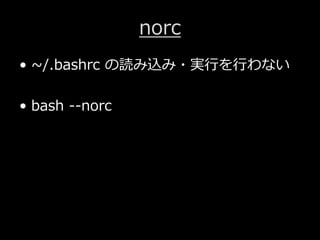
norc
• ~/.bashrc の読み込み・実⾏を⾏わない
• bash --norc
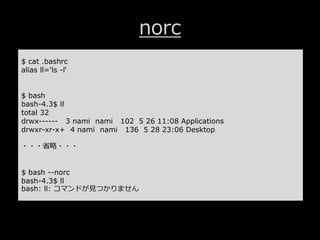
norc
$ cat .bashrc
alias ll='ls -l‘
$ bash
bash-4.3$ ll
total 32
drwx------ 3 nami nami 102 5 26 11:08 Applications
drwxr-xr-x+ 4 nami nami 136 5 28 23:06 Desktop
・・・省略・・・
$ bash --norc
bash-4.3$ ll
bash: ll: コマンドが⾒つかりません
さいごに
• シェルオプションは色々ある
– man bash に全部書いてあります・・・

bash(set)コマンドのオプション3選