devilbox/apache-2.2
Devilbox Apache 2.2 (based on official Apache Docker) [multi-arch]
100K+
devilbox/apache-2.2 repository overview
Apache 2.2








Available Architectures: amd64, arm64, 386, arm/v7, arm/v6

This image is based on the official Apache 2.2 Docker image and extends it with the ability to have virtual hosts created automatically, as well as adding SSL certificates when creating new directories. For that to work, it integrates two tools that will take care about the whole process: watcherd and vhost-gen.
From a users perspective, you mount your local project directory into the container under /shared/httpd. Any directory then created in your local project directory wil spawn a new virtual host by the same name. Each virtual host optionally supports a generic or custom backend configuration (static files, PHP-FPM or reverse proxy).
For convenience the entrypoint script during docker run provides a pretty decent validation and documentation about wrong user input and suggests steps to fix it.
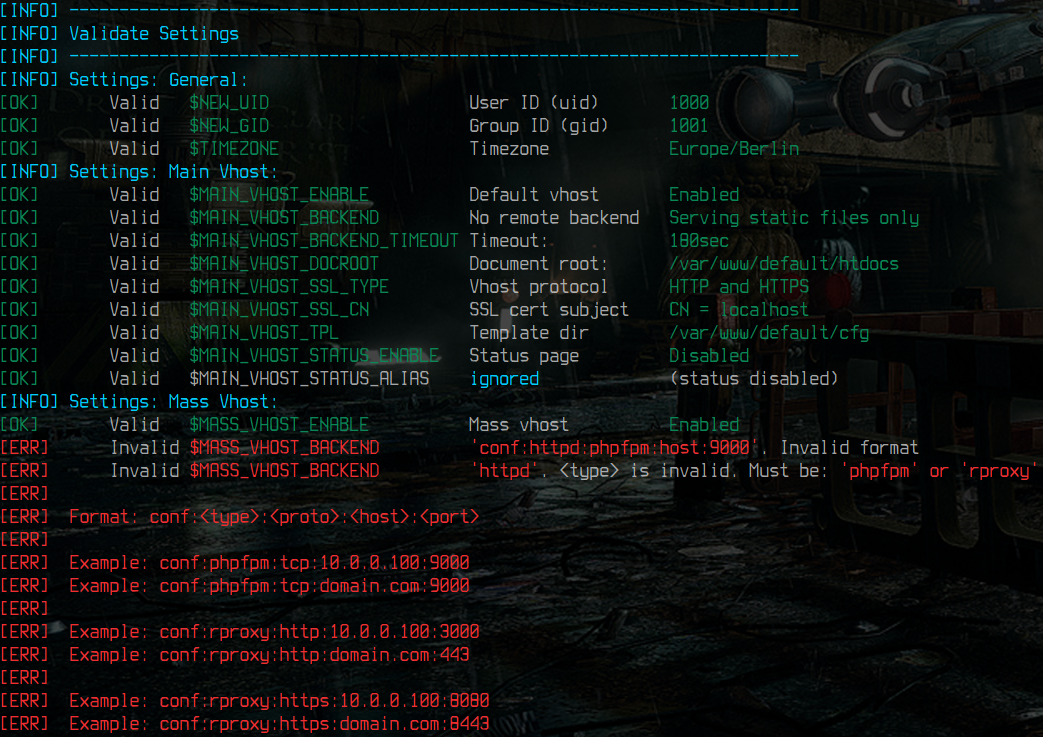 | 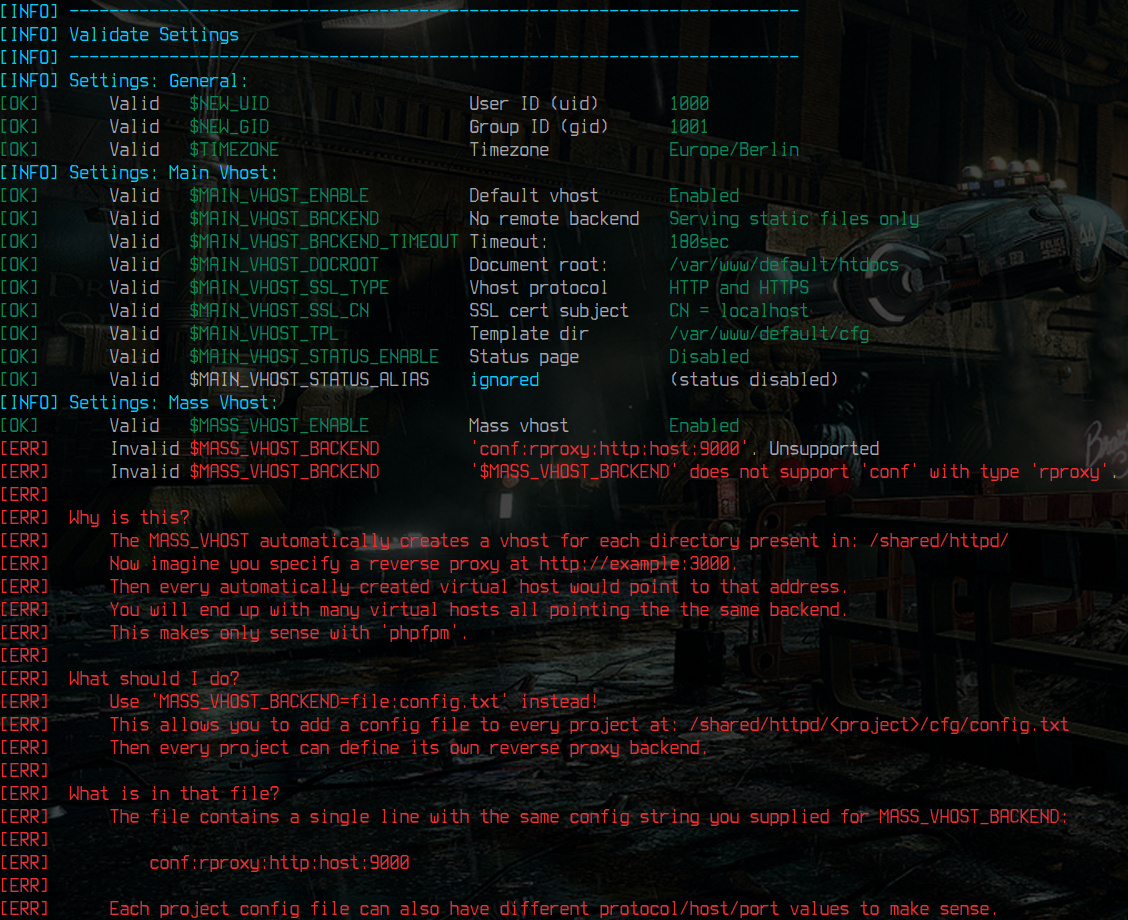 | 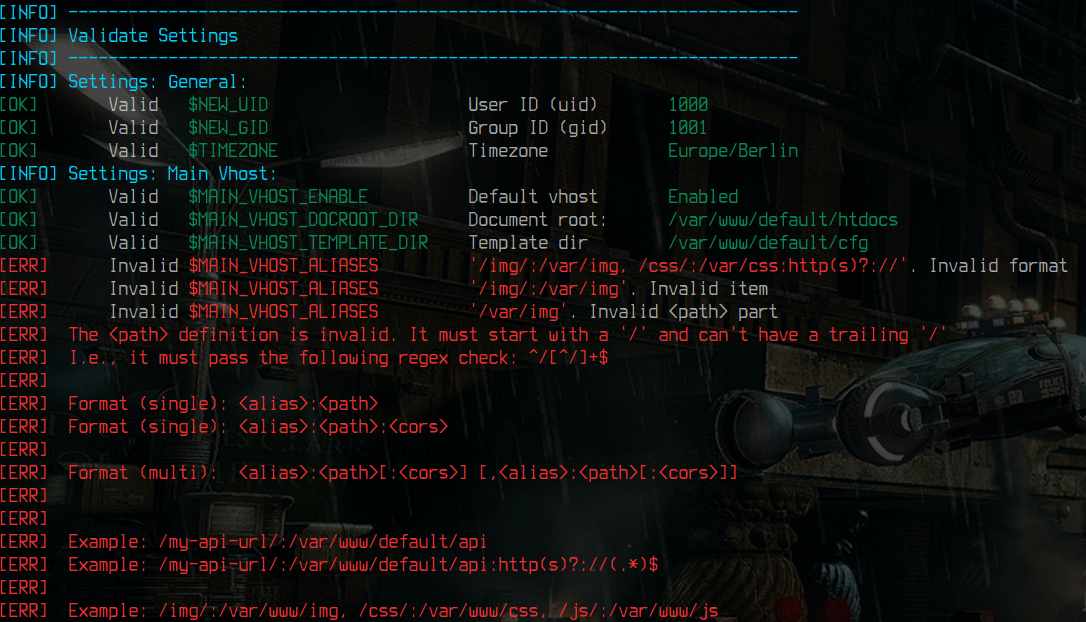 | 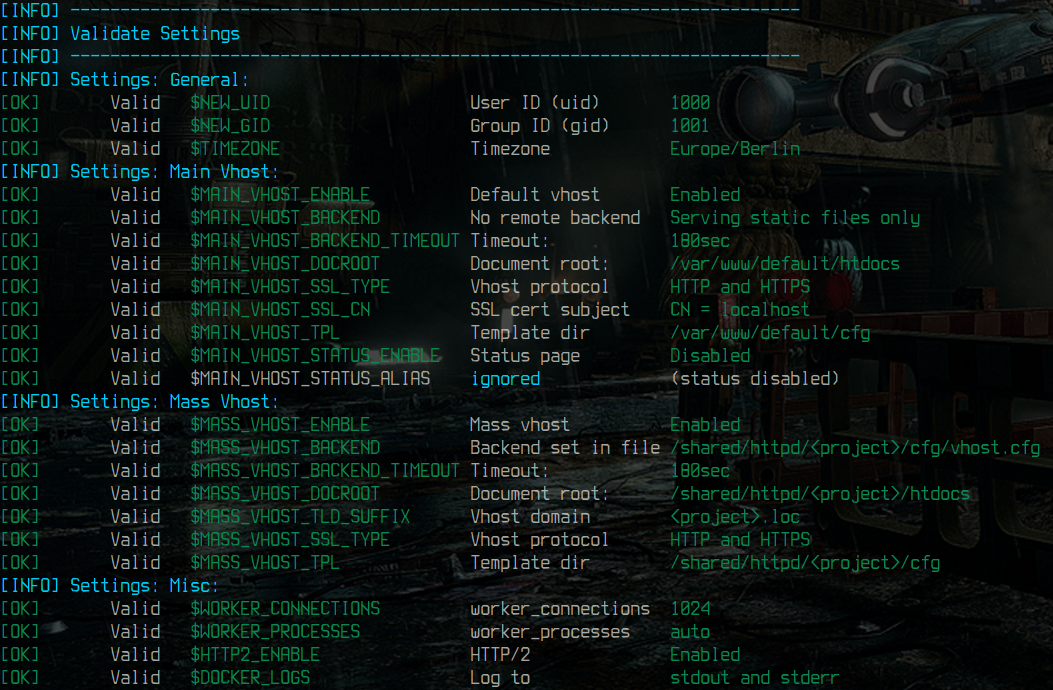 |
|---|---|---|---|
| Invalid backend string | Backend Suggestion | Invalid Alias | Verified |
🐱 GitHub: devilbox/docker-apache-2.2
| Web Server Project | Reference Implementation |
|---|---|
 |  |
| Streamlined Webserver images | The Devilbox |
Apache 2.2 | Apache 2.4 | Nginx stable | Nginx mainline
🐋 Available Docker tags
docker pull devilbox/apache-2.2
Rolling releases
The following Docker image tags are rolling releases and are built and updated every night.
| Docker Tag | Git Ref | Available Architectures |
|---|---|---|
latest | master | amd64 |
debian | master | amd64, i386, arm64, arm/v7, arm/v6 |
alpine | master | amd64, i386 |
Point in time releases
The following Docker image tags are built once and can be used for reproducible builds. Its version never changes so you will have to update tags in your pipelines from time to time in order to stay up-to-date.
| Docker Tag | Git Ref | Available Architectures |
|---|---|---|
<tag> | git: <tag> | amd64 |
<tag>-debian | git: <tag> | amd64, i386, arm64, arm/v7, arm/v6 |
<tag>-alpine | git: <tag> | amd64, i386 |
🛈 Where
<tag>refers to the chosen git tag from this repository.
⚠ Warning: The latest available git tag is also build every night and considered a rolling tag.
✰ Features
This repository uses official httpd Docker images and adds a lot of features, logic and autmomation op top. This allows you to feature-toggle certain functionality simply by setting environment variables.
Below is a brief overview about most outstanding features, but I would still advice you to read up on available environment variables, as well as the architecture to get the whole picture.
🛈 For details see Documentation: Features
Automated mass virtual hosts
- Virtual hosts are created automatically, simply by creating a new project directory (inside or outside of the container). This allows you to quickly create new projects and work on them in your IDE without the hassle of configuring the web server.
Automated PHP-FPM setup
- PHP is not included in the provided images, but you can enable a remote backend and link it to a PHP-FPM image. This allows you to easily switch PHP versions and choose one which is currently required.
Automated Reverse Proxy setup
- In reverse proxy mode, you can choose any http or https backend of your likings. This way you can proxy NodeJS, Python, etc. and use the webserver to add SSL in front.
Automated SSL certificate generation
- SSL certificates are generated automatically for each virtual host if you choose to enable it
Trusted HTTPS in all vhosts
- Virtual host SSL certificates are signed by an internal Certificate Authority (or one you provide to the image). That makes it possible to set the CA to trusted and all generated vhosts will automatically have trusted SSL.
Customization per virtual host
- Each virtual host can individually be fully customized via
vhost-gen templates.
Local file system permission sync
- File system permission/ownership of files/dirs inside the running container can be synced with the permission on your host system. This is accomplished by specifying a user- and group-id to the
docker runcommand.
Tested with common Frameworks
- Wordpress, Drupal, Laravel, CakePHP, PhalconPHP, Magento, Shopware, Typo3, Yii, Zend and many others.
∑ Environment Variables
The provided Docker images add a lot of injectables in order to customize it to your needs. See the table below for a brief overview.
🛈 For details see Documentation: Environment variables
If you don't feel like reading the documentation, simply try out your
docker runcommand and add any environment variables specified below. The validation will tell you what you might have done wrong, how to fix it and what the meaning is.
📂 Volumes
The provided Docker images offer the following internal paths to be mounted to your local file system.
🛈 For details see Documentation: Volumes
| Data dir | Config dir |
/var/www/default//shared/httpd//ca/ |
/etc/httpd-custom.d//etc/vhost-gen.d/ |
🖧 Exposed Ports
When you plan on using 443 you must enable SSL via environment variables, otherwise nothing will be listening on that port.
| Docker | Description |
|---|---|
| 80 | HTTP listening Port |
| 443 | HTTPS listening Port |
💡 Examples
The documentation provides many copy/paste examples about common use-cases including dummy projects.
The given examples distinguish between two different kinds of setup: The default vhost, which only allows to serve a single project and the mass vhost setup, which allows unlimited vhosts that are created automtically. Both types offer the same set of features and are configured in a similar way, so If you find an example in one kind it is easily applyable to the other kind as well.
🛈 For details see Documentation: Examples
🛈 For details see Docker Compose: Examples
Docker
|
Default vhost 💡 Serve static files 💡 Serve PHP files 💡 Sync local filestem permission 💡 Serve PHP files over HTTPS 💡 Reverse Proxy NodeJS |
Unlimited vhosts 💡 Custom vhost-gen template💡 LEMP stack with PHP-FPM and MariaDB 💡 Wordpress setup |
Docker Compose
|
Default vhost 💡 Serve static files 💡 Serve PHP files 💡 Serve PHP files over HTTPS 💡 Reverse Proxy NodeJS 💡 Reverse Proxy Python |
Unlimited vhosts 💡 Serve PHP files over HTTPS 💡 Reverse Proxy and PHP-FPM |
👷 Architecture
The following diagram shows the basic architecture of this docker image.
🛈 For details see Documentation: Architecture
       # mass-vhost                                     # main-vhost only
       docker-entrypoint.sh                             docker-entrypoint.sh
                |                                                |
                ↓                                                ↓
           supervisord (pid 1)                                 httpd (pid 1)
          /     |
         /      |
       ↙        ↓
  start       start
  httpd      watcherd
            /    |    \
           /     |     \
          ↓      ↓      ↘
        sgn     rm      create-vhost.sh
       httpd   vhost     |           |
                         |           |
                         ↓           ↓
                      cert-gen    vhost-gen ⭢ generate vhost
🖤 Sister Projects
Show some love for the following sister projects.


👫 Community
In case you seek help, go and visit the community pages.
📘 Documentation | 🎮 Discord | 🗪 Forum |
|---|---|---|

|

|

|
| devilbox.readthedocs.io | discord/devilbox | devilbox.discourse.group |
🧘 Maintainer
I try to keep up with literally over 100 projects besides a full-time job. If my work is making your life easier, consider contributing. 🖤
Findme: 🐱 cytopia / devilbox | 🐋 cytopia / devilbox | 🐦 everythingcli / devilbox | 📖 everythingcli.org
Contrib: PyPI: cytopia · Terraform: cytopia · Ansible: cytopia
🗎 License
Copyright (c) 2016 cytopia
Tag summary
Content type
Image
Digest
sha256:4f1fd2138…
Size
101.9 MB
Last updated
almost 3 years ago
Requires Docker Desktop 4.37.1 or later.