


Warning
This project is not actively maintained anymore. New maintainers are welcome.
It has been reported that with the most recent OS/Qt versions, the program can crash unexpectedly. Use this at your own risk.
-- Daniele
Notepadqq is a text editor designed by developers, for developers.
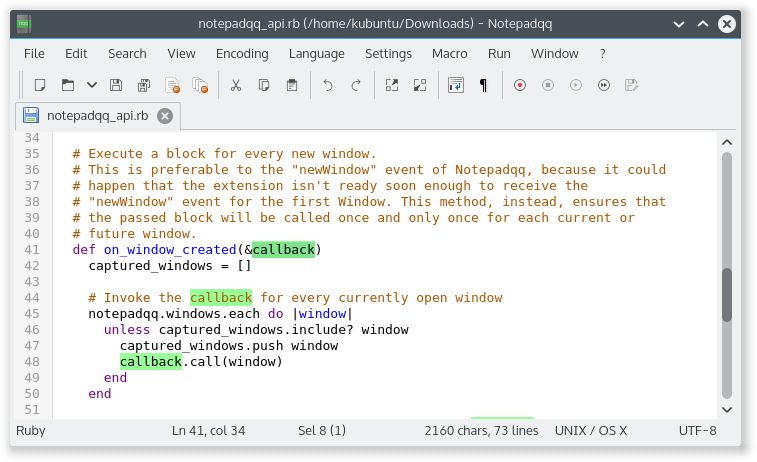
Please visit our Wiki for more screenshots and details.
| Build dependencies | Dependencies |
|---|---|
| Qt 6.4 or higher | Qt 6.4 or higher |
| qt6-webengine5-dev | qt6-webengine5 |
| qt6-websockets-dev | qt6-websockets |
| qt6-svg-dev | qt6-svg |
| qt6-tools-dev-tools | coreutils |
| libuchardet-dev | libuchardet |
| pkg-config |
$ git clone --recursive https://github.com/notepadqq/notepadqq.git
$ cd notepadqq
notepadqq$ cmake --preset release
notepadqq$ cmake --build --preset release
To build with debug symbols, use the dev preset instead:
notepadqq$ cmake --preset dev
notepadqq$ cmake --build --preset dev
If you encounter errors make sure to have the necessary libraries installed. For Ubuntu you can do that using apt-get:
sudo apt-get install qt6-tools-dev qt6-tools-dev-tools qt6-webengine-dev qt6-websockets-dev libqt6svg6 libqt6svg6-dev libuchardet-dev pkg-config
For CentOS:
sudo dnf install -y qt6-qtbase-devel qt6-qttools-devel qt6-qtwebengine-devel qt6-qtwebsockets-devel qt6-qtsvg-devel qt6-qtwebchannel-devel uchardet pkgconfig
Building for macOS? Check here.
notepadqq$ ctest --preset release
You can run notepadqq from its build output folder. If however you want to install it, first build it by following the above steps, then run:
notepadqq$ sudo cmake --install build/release
If the newest version of Qt isn't available on your distribution, you can use the online installer to get the latest libraries and install them into your home directory ($HOME/Qt). Notepadqq will automatically use them.
sudo apt install notepadqq
To install the latest stable version:
sudo snap install notepadqq
You don't have the snap command? Follow the instructions at https://docs.snapcraft.io/core/install and then install Notepadqq as shown above.
You can follow the unstable development releases from the "edge" channel.
Notepadqq is available from Arch's community repositories. To install using pacman:
sudo pacman -S notepadqq
Alternatively it can be found in the AUR:
- Development (git version): notepadqq-git
Notepadqq is avilable in OpenSUSE's main repository:
sudo zypper in notepadqq
Notepadqq is available in the shannon (stable) repository:
sudo eopkg it notepadqq
Use a package for a compatible distribution, or build from source. If you want to submit a package: https://github.com/notepadqq/notepadqq-packaging