watchtower augments the functionality of the watch command. It offers a convenient interface to run and manage watch tasks in the form of scripts providing easy access to common operations.
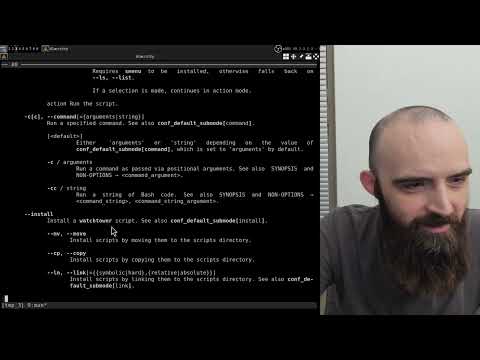
Video tutorial:

| 0.1.0 | 2025-11-20 |
Initial release. |
Essential dependencies come preinstalled on Debian Linux. Debian users may safely skip the essential dependencies section. Users of other systems have to make sure that these are installed.
Click to view
| Name | Notes |
|---|---|
| Bash |
Developed and tested on Debian Stable. Bash version 5.2.37. Homepage: https://www.gnu.org/software/bash/ |
| getopt (enhanced) |
Part of the |
| GNU coreutils |
Homepage: https://www.gnu.org/software/coreutils/ |
| GNU sed |
Homepage: https://www.gnu.org/software/sed/ |
| watch |
Part of the |
Optional dependencies are not strictly necessary for watchtower to work, however some functionality may be limited if they are not installed.
| Name | Installation | Notes |
|---|---|---|
| smenu | sudo apt install smenu |
Required for interactive menu functionality to work. GitHub: https://github.com/p-gen/smenu |
| bat | sudo apt install bat |
Required for syntax highlighting to work. Used when Note that when GitHub: https://github.com/sharkdp/bat |
-
Clone this repository to a directory of your choice (for example,
~/local/src):mkdir -pv ~/local/src cd ~/local/src git clone https://github.com/linguisticmind/watchtower.git
-
Symlink the script file to a directory on your
PATH(for example,~/local/bin):cd watchtower ln -srv watchtower ~/local/bin
How do I add a directory to
PATH?-
Open your
~/.bashrcfile in a text editor and add the following line to end of the file:export PATH="$HOME/local/bin:$PATH"
-
Restart your terminal session.
-
-
Symlink the man page to a directory on your
MANPATH(for example,~/local/share/man):cd ~/local/src/watchtower ln -srv man/man1/watchtower.1 ~/local/share/man/man1
Note: The
mandirectory must contain subdirectories for different manual sections (man1,man2etc.).How do I add a directory to
MANPATH?-
Open your
~/.bashrcfile in a text editor and add the following line to end of the file:export MANPATH="$HOME/local/share/man:$MANPATH"
-
Restart your terminal session.
-
-
To upgrade to the most recent version of
watchtower, rungit pullin the cloned repository:cd ~/local/src/watchtower git pull
WATCHTOWER(1) General Commands Manual WATCHTOWER(1)
NAME
watchtower - an extension to the watch command
SYNOPSIS
watchtower [--list|--menu]
watchtower <script_name|script_file> [<script_argument> ...]
watchtower --command=arguments <command_argument> ...
watchtower --command=string <command_string> <command_string_argument>
...
watchtower --install [--move|--copy|--link] <script_file> ...
watchtower --edit [--list|--menu] [--copy]
watchtower --edit <script_name|new_script_name> ...
watchtower --edit --copy <script_name|script_file> [<new_script_name>]
watchtower --rename [--list|--menu]
watchtower --rename <old_script_name> [<new_script_name>]
watchtower --remove [--list|--menu]
watchtower --remove <script_name> ...
DESCRIPTION
watchtower augments the functionality of the watch command. It offers a
convenient interface to run and manage watch tasks in the form of
scripts providing easy access to common operations.
MODES
Modes are subsets of functionality that either run automatically under
certain conditions, or are triggered by passing special option arguments
called mode switches. Mode switches are described in this section. See
OPTIONS for information on the rest of the option arguments. See NOTES
for additional information on command line option usage.
default
Run a watchtower script.
If no non-option arguments are passed, the list submode is en‐
tered. Otherwise, the action submode is entered.
list List installed scripts. Runs automatically as previously
specified, or when an --ls, --list or --menu mode switch
is passed explicitly.
See also conf_default_submode[list].
--ls, --list
List scripts in plain text.
--menu List scripts as an interactive menu.
Requires smenu to be installed, otherwise falls
back on --ls, --list.
If a selection is made, continues in action mode.
action Run the script.
-c[c], --command[={arguments|string}]
Run a specified command. See also conf_default_submode[command].
[<default>]
Either 'arguments' or 'string' depending on the value of
conf_default_submode[command], which is set to 'argu‐
ments' by default.
-c / arguments
Run a command as passed via positional arguments. See
also SYNOPSIS and NON-OPTIONS → <command_argument>.
-cc / string
Run a string of Bash code. See also SYNOPSIS and NON-OP‐
TIONS → <command_string>, <command_string_argument>.
--install
Install a watchtower script. See also conf_default_submode[in‐
stall].
--mv, --move
Install scripts by moving them to the scripts directory.
--cp, --copy
Install scripts by copying them to the scripts directory.
--ln, --link[={{symbolic|hard},{relative|absolute}}]
Install scripts by linking them to the scripts directory.
See also conf_default_submode[link].
symbolic Create symbolic links. See also conf_de‐
fault_submode[symbolic_link].
relative Create symbolic links using relative
paths.
absolute Create symbolic links using absolute
paths.
hard Create hard links.
-e, --edit
Edit installed scripts, or create and edit a new one.
If no non-option arguments are passed, the list submode is en‐
tered. Otherwise, the action submode is entered.
list Same as MODES → default → list.
Multiple scripts may be selected by pressing T. (Only ap‐
plies if no --cp, --copy mode switch is passed.)
action Edit selected scripts.
default
Edit an installed script, or create a new one from
scratch.
If a script name is passed that doesn't match any
of the installed scripts, a new file with the cor‐
responding name is open for editing.
--cp, --copy
Create a new script by creating a copy of an exist‐
ing one.
If only one non-option argument is passed, an in‐
teractive prompt is shown asking for the new script
name.
--rename
Rename an installed script.
If no non-option arguments are passed, the list submode is en‐
tered. Otherwise, the action submode is entered.
list Same as MODES → default → list.
action Rename the script.
If only one non-option argument is passed, an interactive
prompt is shown asking for the new script name.
--rm, --remove
Delete installed scripts.
If no non-option arguments are passed, the list submode is en‐
tered. Otherwise, the action submode is entered.
list Same as MODES → default → list.
Multiple scripts may be selected by pressing T.
action Delete the scripts.
NON-OPTIONS
This section describes usage of non-option arguments. See SYNOPSIS and
MODES for more information on the conditions under which they are used.
<script_name>
A name of a watchtower script installed in the scripts directory.
See also SCRIPTS and FILES → "Scripts".
The name of the script is derived by taking the script's filename
and dropping the '.bash' extension.
<script_file>
A path to a watchtower script file located anywhere on the user's
system.
<script_argument>
A positional argument passed to a watchtower script.
<command_argument>
An argument that constitutes a part of a shell command including
the very first argument that refers to the command itself.
<command_string>
A string of Bash code. This is the same command_string as the one
described in bash(1) under OPTIONS → -c.
<command_string_argument>
An argument to Bash's command_string. See bash(1) → OPTIONS → -c.
<old_script_name>
A name of a watchtower script that is to be renamed.
See also <script_name> for the definition of a script name.
<new_script_name>
A new name for a watchtower script that is being renamed, or a
name for a new watchtower script created by copying an existing
one.
See also <script_name> for the definition of a script name.
OPTIONS
This section describes usage of option arguments except for mode
switches. See MODES for information on mode switches. See NOTES for ad‐
ditional information on command line option usage.
General
--watch
Use the watch command in default and command modes. This is the
default.
--no-watch
Do not use the watch command.
--watch-bin=<empty|bin|path>
A watch binary to use. The default value is ''.
When set to an empty string (''), looks up 'watch' on PATH. When
set to a value that does not contain a forward slash ('/'), looks
up that value on PATH. When set to a value with a forward slash
in it, uses that value as the path to the binary.
--watch-opts=[:[:]]<opt_string>
Options to watch. The default value is described under CONFIGURA‐
TION → "Command line option equivalents".
See NOTES → "Option strings" for the description of the
<opt_string> format.
See also conf_watch_opts.
Command execution
These options govern behavior around commands that watchtower executes
under the hood.
-x[x], --exec
Execute commands (as opposed to performing a dry run for preview
purposes). This is the default.
-x Perform the specified behavior of this option.
-xx In addition to performing the specified behavior of this
option, flip the decision value of --exec-print.
-X[X], --no-exec
Do not execute commands. Perform a dry run.
-X Perform the specified behavior of this option.
-XX In addition to performing the specified behavior of this
option, flip the decision value of --exec-print.
--exec-print[={always|auto|never}]
Print commands and their arguments as they are being executed.
[always] Always print commands.
almost-always
Print commands except in cases where it would be obtru‐
sive. This is the default.
auto Print commands only when performing a dry run (‐
--no-exec).
never Never print commands.
-xx and -XX flip the decision value of this option. If this op‐
tion is set to 'auto', the decision is flipped. If this option is
set to 'always' or 'never', the outcome is the opposite.
--exec-no-print
Do not print commands and their arguments as they are being exe‐
cuted. Equivalent to --exec-print set to 'never'.
-v, --exec-verbose
Execute commands verbosely. This is the default.
-V, --exec-no-verbose
Execute commands non-verbosely.
-y[y], --exec-risky[={yes|ask|no}]
Execute commands that merit a user confirmation.
-yy / yes
Execute without asking.
-y / [ask]
Show a confirmation prompt before executing. This is the
default.
no Do not execute. Only show an informational message ex‐
plaining the situation.
-Y, --exec-no-risky
Do not execute risky commands. Equivalent to -y[y], --exec-risky
set to 'never'.
Other
--color[={always|auto|never}]
Colorize the output. The default value is 'auto'.
always Always colorize.
[auto] Colorize if stdout is connected to a terminal.
never Never colorize.
--no-color
Disable colorization of the output. Equivalent to -c, --color set
to 'never'.
--help Open the man page.
--version
Print version information.
--config[={auto|edit|generate|remove|none}]
Perform an action on the configuration file. See also CONFIGURA‐
TION and FILES below.
[auto] Generate a configuration file if it does not exist. If
it does, open it in a text editor.
edit Open an existing configuration file in a text editor.
generate Generate a new configuration file.
remove Delete an existing configuration file. If the configura‐
tion directory doesn't have any other files, it is also
deleted.
none Do not use the configuration file. Use the program in
its default configuration.
--no-config
Do not use the configuration file. Use the program in its default
configuration. Equivalent to --config set to 'none'.
SCRIPTS
watchtower scripts are Bash scripts. A watchtower script file must have
a '.bash' filename extension.
<script_argument>s are passed to watchtower scripts as positional argu‐
ments. See SYNOPSIS, NON-OPTIONS → <script_argument>.
An associative array WATCHTOWER_SCRIPT is made available to all scripts
run by watchtower. Its contents are listed below. See also NOTES →
"Pseudo data types" for explanation of terms "boolean", "string", "num‐
ber", etc.
NOTE: Running a watchtower script with the --exec-print option may help
better understand how a script's shell context is constructed:
watchtower --no-exec --exec-print <script_name>
WATCHTOWER_SCRIPT (associative array)
Data passed along by watchtower to a watchtower script.
WATCHTOWER_SCRIPT[watch] (boolean)
Represents whether a script is being run through watch
or not.
Holds a decision value that comes from parsing
watchtower's --watch / --no-watch options and/or the
corresponding configuration variable.
WATCHTOWER_SCRIPT[color] (boolean)
Represents whether a script is being run with coloriza‐
tion enabled or not.
Holds a decision value that comes from parsing
watchtower's --color / --no-color options and/or the
corresponding configuration variable.
CONFIGURATION
A configuration file can be used to change the default behavior of
watchtower.
That configuration file is a Bash script that can be generated by using
the --config option. It sets a number of variables that correspond to
command line options, and some other parameters that can only be set in
the configuration file.
See also FILES.
Command line option equivalents
The table below shows how command line options and configuration vari‐
ables correspond to each other. The command line option on the left sets
the variable(s) on the right internally.
Special symbols:
- This option is non-configurable.
" This option sets the same variable(s) as the one above.
+ This option is a mode switch. Mode switches don't have equivalent
configuration variables. See MODES, CONFIGURATION → "Configuration
file-only parameters" for information on configuration of modes.
See also NOTES → "Pseudo data types" for explanation of terms "boolean",
"string", "number", etc.
-c[c], --command[=<value>] +
--install +
-e, --edit +
--rename +
--remove +
--ls, --list +
--menu +
--mv, --move +
--cp, --copy +
--ln, --link[=<value>] +
--watch opt_watch boolean
--no-watch "
--watch-bin=<value> opt_watch_bin string
--watch-opts[=<value>] opt_watch_opts string, array
optdata__watch_opts__append boolean
-x[x], --exec opt_exec string
-X[X], --no-exec "
--exec-print[=<value>] opt_exec_print string
--exec-no-print "
-v, --exec-verbose opt_exec_verbose string
-V, --exec-no-verbose "
-y[y], --exec-risky[=<value>] opt_exec_risky string
-Y, --exec-no-risky "
--color[=<value>] opt_color string
--no-color "
--help -
--version -
--config[=<value>] -
--no-config -
The usage of the variables listed above should mostly be self-explana‐
tory just from looking at the configuration file and reading the de‐
scription of the corresponding options in the OPTIONS section. Since
both the variables and the options do the exact same thing, the usage
information will not be repeated here.
Some of the variables from the above table are further described below
when there is additional information to be provided.
opt_watch_opts=<opt_string> (string)
opt_watch_opts=(<options>) (indexed array)
Options to watch. The default value is '-ctpn 1'.
See also conf_watch_opts.
optdata__watch_opts__append (boolean)
If set to true, append to the existing value of opt_watch_opts
when --watch-opts is used without any leading colons (':', '::')
in its value. The default value is false.
See also NOTES → "Option strings".
Configuration file-only parameters
conf_default_submode (associative array)
Submodes that various modes invoke by default.
conf_default_submode[list]=<value> (string)
The default submode of the list mode. See MODES →
default → list.
list Use the list (plain text) submode.
menu Use the menu submode. This is the default.
conf_default_submode[command]=<value> (string)
The default submode of the command mode. See MODES →
default → --command.
arguments Use the command arguments submode. This is
the default.
string Use the command string submode.
conf_default_submode[install]=<value> (string)
The default submode of the install mode. See MODES →
default → --install.
move Use the move submode.
copy Use the copy submode. This is the default.
link Use the link submode.
conf_default_submode[link]=<value> (string)
The default submode of the link mode. See MODES →
default → --install → --link.
symbolic Use the symbolic link submode. This is the de‐
fault.
hard Use the hard link submode.
conf_default_submode[symbolic_link]=<value> (string)
The default submode of the symbolic link mode. See
MODES → default → --install → --link → symbolic.
relative Use the relative paths submode. This is the de‐
fault.
absolute Use the absolute paths submode.
conf_watch_opts (associative array)
Options to watch. See NOTES → "Option strings" for the descrip‐
tion of the <opt_string> format.
conf_watch_opts[<script_name>]=<opt_string> (string)
Options for a specific script. These values override the
value of opt_watch_opts when a given <script_name> is in
use. No such values are set by default.
See also NON-OPTIONS → <script_name>.
EXIT STATUS
0 Success.
1 An error occurred.
ENVIRONMENT
VISUAL / EDITOR
The values of VISUAL and EDITOR environment variables determine
the text editor for editing script files, and when opening con‐
figuration files with --config.
VISUAL is evaluated first. If that is not set, then EDITOR is
evaluated. If neither is set, nano is used.
XDG_CONFIG_HOME
Determines the location of the configuration directory. If not
set, defaults to "$HOME/.config".
FILES
Configuration
A configuration file can be used to change the default behavior of
watchtower.
The configuration file's location is "$XDG_CONFIG_HOME/watchtower/
config.bash".
See also CONFIGURATION, OPTIONS → --config.
Scripts
watchtower scripts are installed to "$XDG_CONFIG_HOME/watchtower/
scripts".
See also SCRIPTS, MODES → --install.
NOTES
Options with required and optional arguments
Due to a peculiarity of the getopt option parser, there is a slight dif‐
ference in how option arguments are parsed depending on whether the op‐
tion argument is optional or not:
Short option Long option
Required argument -o <value> --option <value>
-o<value> --option=<value>
Optional argument -o[<value>] --option[=<value>]
When an option argument is required, the option and the argument may be
passed as two separate command lines arguments (‘-o <value>’, ‘--option
<value>’), or as a single command line argument (‘-o[<value>]’,
‘--option[=<value>]’).
When an option argument is optional, the option and the argument may
only be passed as a single command line argument (‘-o[<value>]’,
‘--option[=<value>]’).
In this manual, required and optional option arguments are marked as
follows:
-o, --option=<value>
This option takes a required argument. No square brackets around
<value>.
-o, --option[=<value>]
This option takes an optional argument. <value> is enclosed in
square brackets.
Option strings (<opt_string>)
Some options and/or configuration variables may provide the ability to
pass an option string to another program. Such values are designated as
<opt_string> and follow xargs quoting rules:
• Single or double quotes may be used:
'quoted value'
"quoted value"
• Backslash has no special meaning inside quotes:
'literal backslash \ and some more text'
"literal backslash \ and some more text"
• Backslash escapes a quote and itself when used outside quotes:
'literal single quote '\'' and some more text'
"literal double quote "\"" and some more text"
'literal backslash '\\' and some more text'
When a command line option provides this functionality, it may also pro‐
vide the ability to either replace the existing <opt_string> value or
append to it at user's choice.
By "the existing value" we mean either a default value or a value set by
the user in a configuration file.
In this manual, such command line options are marked as follows:
--command-opts=[:[:]]<opt_string>
Options to command.
Prepending <opt_string> with a single colon (':') replaces the existing
value, and prepending it with a double colon ('::') appends to it.
Such a command line option may have a corresponding configuration vari‐
able (see CONFIGURATION → "Command line option equivalents"). For our
example option, the variable would most likely be called
opt_command_opts.
An additional configuration variable may be provided that determines
what happens when neither a single colon (':') nor a double colon ('::')
is appended to <opt_string>. For our example option, that variable would
most likely be called optdata__command_opts__append, and would be a
boolean value as defined in NOTES → "Pseudo data types".
optdata__command_opts__append (boolean)
If set to true, append to the existing value of opt_command_opts
when --command-opts is used without any leading colons (':',
'::') in its value.
When optdata__command_opts__append is set to true, --command-opts will
append to the existing value when no colons are prepended to
<opt_string>, and when set to false, it will replace the existing value.
Pseudo data types
In Bash, there is no strict distinction between strings, integers,
booleans, and some other data types, but for the sake of clarity of the
intended meaning, the configuration variables are marked in terms of
these categories.
In the generated configuration file, you will see the values formatted
according to the following convention:
Strings are quoted while numeric values are not.
opt_option='value' # string
opt_option=17 # integer
Variables intended as booleans are set to the value of 1 to mean true,
and to an empty string to mean false:
opt_option=1 # true
opt_option= # false
AUTHOR
Alex Rogers <https://github.com/linguisticmind>
HOMEPAGE
<https://github.com/linguisticmind/watchtower>
COPYRIGHT
Copyright © 2025 Alex Rogers. License GPLv3+: GNU GPL version 3 or later
<https://gnu.org/licenses/gpl.html>.
This is free software: you are free to change and redistribute it. There
is NO WARRANTY, to the extent permitted by law.
SEE ALSO
watch(1)
WATCHTOWER 0.1.0 2025-11-20 WATCHTOWER(1)
