Free Desktop API Testing Tool
Offline Capable • Privacy-First • Lightweight


Download • Features • Installation • FAQ • Documentation
| Platform | Download | Requirements |
|---|---|---|
| Windows | Download .exe | Windows 10+ (64-bit) |
| macOS | Download .dmg | macOS 11.0+ (Intel & Apple Silicon) |
| Linux | Download .AppImage | Ubuntu 18.04+ or equivalent |
Note: APIVerve Studio is currently in Beta. We'd love your feedback! Report issues here.
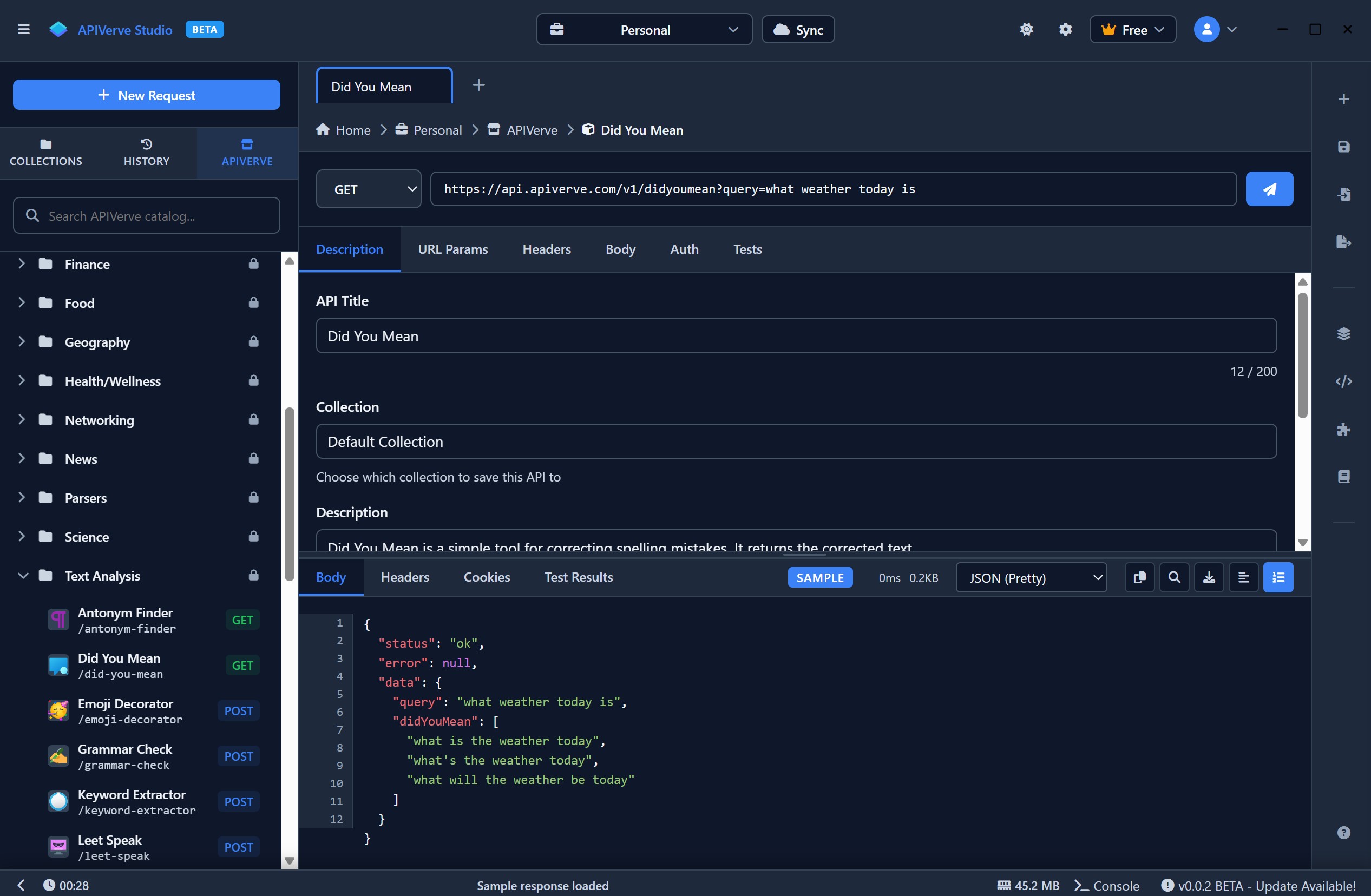
- REST API Support - Full support for GET, POST, PUT, PATCH, DELETE, and more
- GraphQL Support - Query and mutation testing with schema introspection
- WebSocket Support - Real-time WebSocket connection testing
- SOAP Support - Legacy SOAP API testing capabilities
- Offline Capable - Core API testing works without internet
- Collections & Workspaces - Organize your requests into logical groups
- Environment Variables - Switch between dev, staging, and production with ease
- Request History - Never lose a request, everything is saved locally
- Plugins - Extend functionality with plugins (coming soon)
- Local Storage - All data stays on your machine by default
- Optional Account - Create an account to unlock cloud sync and additional features
- Optional Cloud Sync - Sign in to sync collections across devices
- Response Inspection - Headers, body, cookies, and timing breakdown
- Code Generation - Export requests to cURL, JavaScript, Python, and more
- Dark Mode - Easy on the eyes for those late-night debugging sessions
- Download
APIVerve-Studio-Portable.exefrom Releases - Move the
.exefile to any folder on your computer - Double-click to run - no installation required
- Download
APIVerve-Studio.dmgfrom Releases - Open the DMG and drag APIVerve Studio to your Applications folder
- On first launch, right-click and select "Open" (or allow in System Preferences > Security)
- Download
APIVerve-Studio.AppImagefrom Releases - Make it executable:
chmod +x APIVerve-Studio.AppImage - Run:
./APIVerve-Studio.AppImage
| Windows | macOS | Linux | |
|---|---|---|---|
| OS | Windows 10+ | macOS 11.0+ | Ubuntu 18.04+ |
| Architecture | x64, ARM64 | Intel, Apple Silicon | x64, ARM64 |
| RAM | 4 GB minimum | 4 GB minimum | 4 GB minimum |
| Disk | 200 MB free | 200 MB free | 200 MB free |
Yes! APIVerve Studio is free to download and use. Some advanced features may require an account or subscription.
No account is required for basic offline use. However, we recommend creating an account to access cloud sync and additional features.
APIVerve Studio checks for updates on launch and notifies you when a new version is available. Download the latest version from this page and replace your existing file.
Yes! Core API testing features work offline. Some features like cloud sync and certain integrations require an internet connection.
APIVerve Studio is designed to be lightweight, privacy-focused, and works offline for core functionality. No forced accounts for basic use, and it's free to get started.
- Bug Reports: Open an issue
- Feature Requests: Request a feature
- Documentation: docs.apiverve.com/studio
- API Marketplace: apiverve.com
- APIVerve Marketplace - Production-ready APIs for developers
- APIVerve Documentation - Comprehensive API documentation
Made with ❤️ by APIVerve
Copyright © 2025 EvlarSoft LLC & APIVerve. All rights reserved.