Automated installer and launcher for Fluxion - a wireless security auditing toolkit for WPA/WPA2 testing and network analysis in Termux environments.




- Automated Setup: One-command installation of Ubuntu (proot) and Fluxion
- Optimized for Termux: Efficient resource usage and mobile-friendly
- No Root Required: Works on non-rooted Android devices
- Smart Package Management: Only installs necessary dependencies
- Error Handling: Robust installation with detailed progress feedback
- Storage Efficient: Optional components to minimize space usage
- OS: Termux on Android 7.0+
- Architecture: ARM64 (64-bit) - Latest Release
- ARM32 (32-bit) support available in beta branch
- Storage: ~500MB-1GB free space
- Internet: Stable connection for downloads
- Permissions: Storage access (granted during setup)
- Android 9.0 or higher
- 2GB+ free storage for optimal performance
- Wi-Fi connection for faster downloads
-
Install Termux from F-Droid (recommended) or GitHub
-
Update Termux packages:
pkg update && pkg upgrade -y -
Clone the repository:
git clone https://github.com/0n1cOn3/FluxER.git cd FluxER -
Make the script executable:
chmod +x fluxer.sh
-
Run FluxER:
./fluxer.sh
The installer will:
- Request storage permissions
- Install required dependencies
- Download and setup Ubuntu (proot)
- Install Fluxion and wireless tools
- Provide launch instructions
After installation completes, start Fluxion with:
cd ~
./start-ubuntu.sh
cd fluxion
./fluxion.sh./start-ubuntu.sh -c 'cd fluxion && ./fluxion.sh'Add to ~/.bashrc for easy access:
echo "alias fluxion='~/start-ubuntu.sh -c \"cd fluxion && ./fluxion.sh\"'" >> ~/.bashrc
source ~/.bashrc
Then simply run: fluxion
- Git, Wget, Curl
- Proot (for Ubuntu environment)
- Python 2 & 3 (optional)
- Figlet (for banners)
- Wireless Tools (aircrack-ng, hostapd, etc.)
- Network utilities (iptables, dsniff)
- Fluxion framework
- Optional: reaver, bully, pixiewps, hashcat
Storage permission denied
termux-setup-storage
# Manually grant permission in Android settings if needed
Installation fails
# Clear cache and retry
apt clean
pkg update
./fluxer.sh
Ubuntu environment won't start
# Reinstall proot
pkg reinstall proot
Fluxion not found
# Verify installation
ls ~/fluxion
# If missing, reinstall
rm -rf ~/fluxion
./fluxer.sh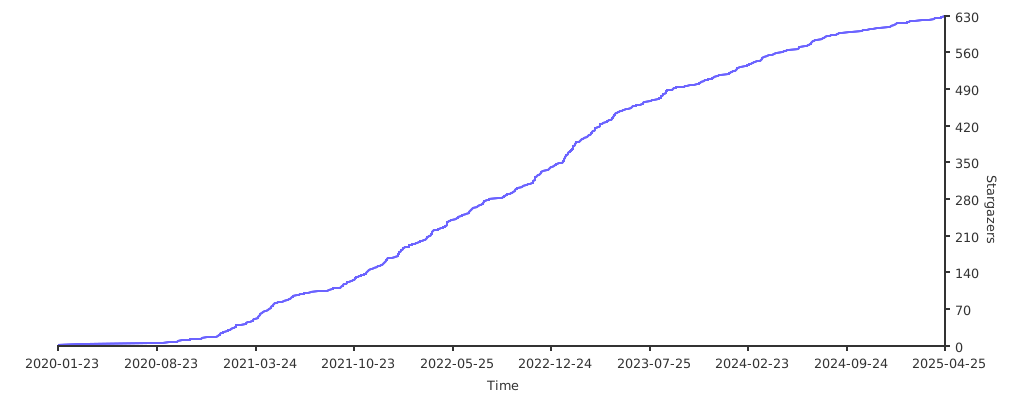
Contributions are welcome! Please feel free to submit a Pull Request. For major changes:
- Fork the repository
- Create your feature branch (
git checkout -b feature/AmazingFeature) - Commit your changes (
git commit -m 'Add some AmazingFeature') - Push to the branch (
git push origin feature/AmazingFeature) - Open a Pull Request
- Original Script: MrBlackX/TheMasterCH
- Current Maintainer: 0n1cOn3
- Fluxion: FluxionNetwork
- Ubuntu Script: tuanpham-dev
This project is licensed under the GNU General Public License v3.0 - see the LICENSE file for details.
Important Legal Notice:
- This tool is provided strictly for educational and authorized security testing purposes
- Unauthorized access to computer networks is illegal under laws including:
- Computer Fraud and Abuse Act (CFAA) - United States
- Computer Misuse Act - United Kingdom
- Similar legislation in other jurisdictions
- You must have explicit written permission from network owners before testing
- The authors and contributors assume NO LIABILITY for misuse or damage
- By using this software, you agree to use it legally and ethically
Users are solely responsible for compliance with all applicable local, state, federal, and international laws.
- Issues: GitHub Issues
Made with ❤️ for the security research community
Star ⭐ this repository if you find it helpful!