Overview
The Omi MCP server enables AI assistants like Claude to interact with your Omi data using natural language. Query your memories, manage conversations, and automate workflows through AI-powered tools.Read Memories
Retrieve and search your memories
Manage Data
Create, edit, and delete memories
Access Conversations
Browse full conversation transcripts
Hosted MCP Server
The easiest way to specific Omi as an MCP server is to use our hosted endpoint with SSE (Server-Sent Events).Generate an API Key
Open the Omi app and navigate to Settings → Developer → MCP to generate your API key.
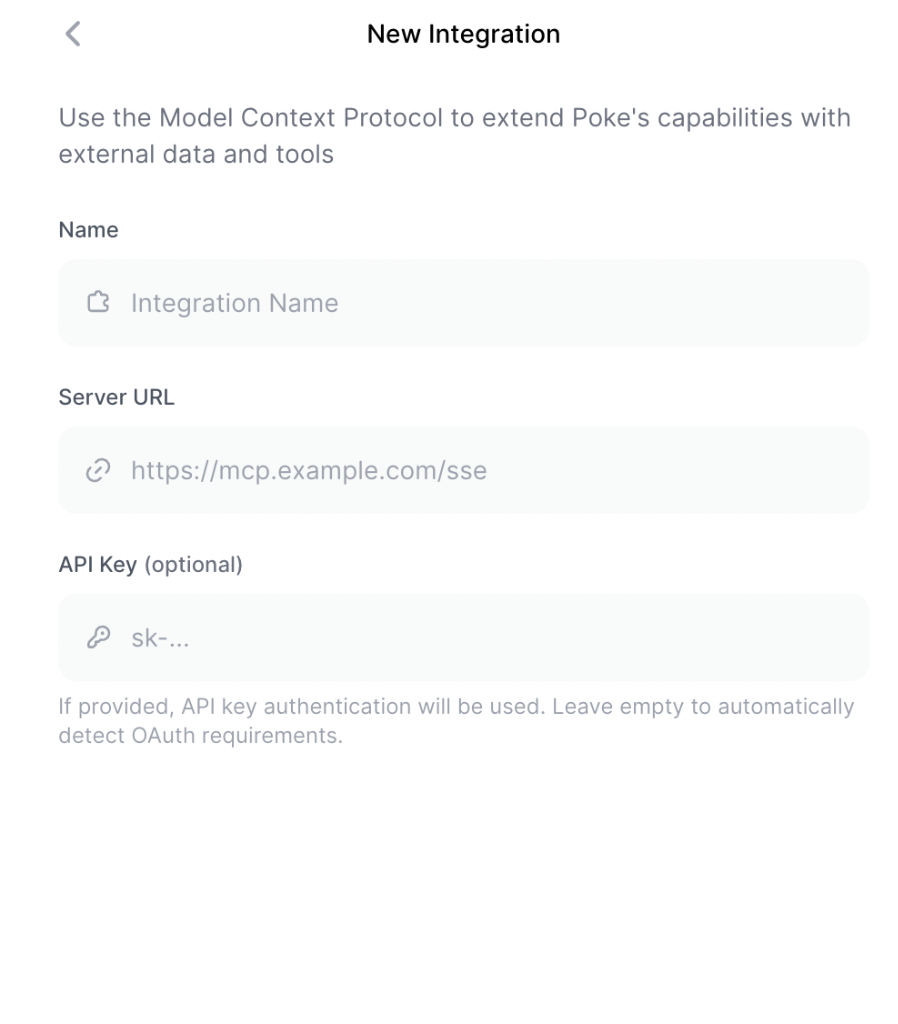
Using Docker MCP Server
If you prefer to run the MCP server locally:Generate an API Key
Open the Omi app and navigate to Settings → Developer → MCP to generate your API key.
Install Docker
Install Docker to run the MCP server. We recommend OrbStack for macOS.
Configure Claude Desktop
Add the following to your Replace
claude_desktop_config.json:your_api_key_here with the key you generated in Step 1.Available Tools
get_memories
get_memories
Retrieve a list of user memories.Parameters:
Returns: JSON object containing list of memories
| Name | Type | Required | Description |
|---|---|---|---|
limit | number | No | Maximum number of memories to retrieve (default: 100) |
categories | array | No | Categories to filter by (default: []) |
create_memory
create_memory
Create a new memory.Parameters:
Returns: Created memory object
| Name | Type | Required | Description |
|---|---|---|---|
content | string | Yes | Content of the memory |
category | MemoryFilterOptions | Yes | Category of the memory |
edit_memory
edit_memory
Edit an existing memory’s content.Parameters:
Returns: Status of the operation
| Name | Type | Required | Description |
|---|---|---|---|
memory_id | string | Yes | ID of the memory to edit |
content | string | Yes | New content for the memory |
delete_memory
delete_memory
Delete a memory by ID.Parameters:
Returns: Status of the operation
| Name | Type | Required | Description |
|---|---|---|---|
memory_id | string | Yes | ID of the memory to delete |
get_conversations
get_conversations
Retrieve a list of user conversations.Parameters:
Returns: List of conversation objects containing transcripts, timestamps, geolocation, and structured summaries
| Name | Type | Required | Description |
|---|---|---|---|
include_discarded | boolean | No | Include discarded conversations (default: false) |
limit | number | No | Maximum number of conversations (default: 25) |
Example Integrations
LangChain
Build chains with Omi data
OpenAI Agents
Create AI agents using Omi
DSPy
Programmatic LLM pipelines
Debugging
- MCP Inspector
- Log Files
Use the MCP inspector to debug the server:For local development:
Advanced Configuration
Custom Backend URL
If you are self-hosting the Omi backend, specify the API endpoint by setting theOMI_API_BASE_URL environment variable:
This is only needed for self-hosted Omi instances. The default URL points to the official Omi API.
Comparison with Developer API
| Feature | MCP | Developer API |
|---|---|---|
| Purpose | AI assistant integration | Direct HTTP API access |
| Access | Read/write with AI context | Read & write user data |
| Use Case | Claude Desktop, AI agents | Custom apps, dashboards |
| Best For | AI-powered workflows | Batch operations, integrations |
For programmatic access without AI assistants, use the Developer API instead.