Types of Apps
The first step when developing an app is deciding which type of app to develop. The two types of apps, single-click and connector, are defined by the method of authentication. Single-click apps use an OAuth Authorization Code Grant flow. Connector apps require store owners or authorized users to manually generate and configure store API credentials. In addition to the authentication method, apps can differ by visibility.
Single-Click
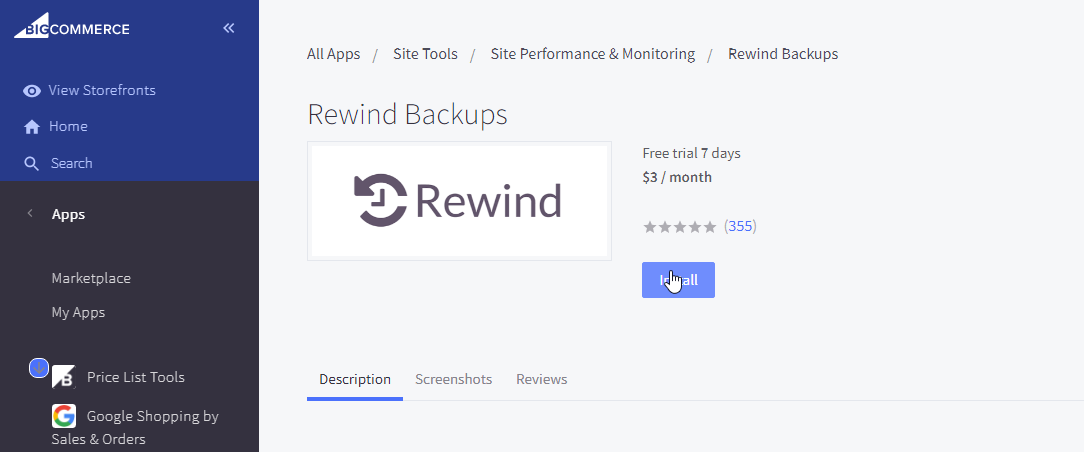
Single-click apps are the recommended app type. They use OAuth 2.0 Authorization Code Grant (oauth2.net) flow. Users initiate installation by clicking Install.
The app requests the user to grant permissions associated to scopes configured for the app in the Developer Portal :
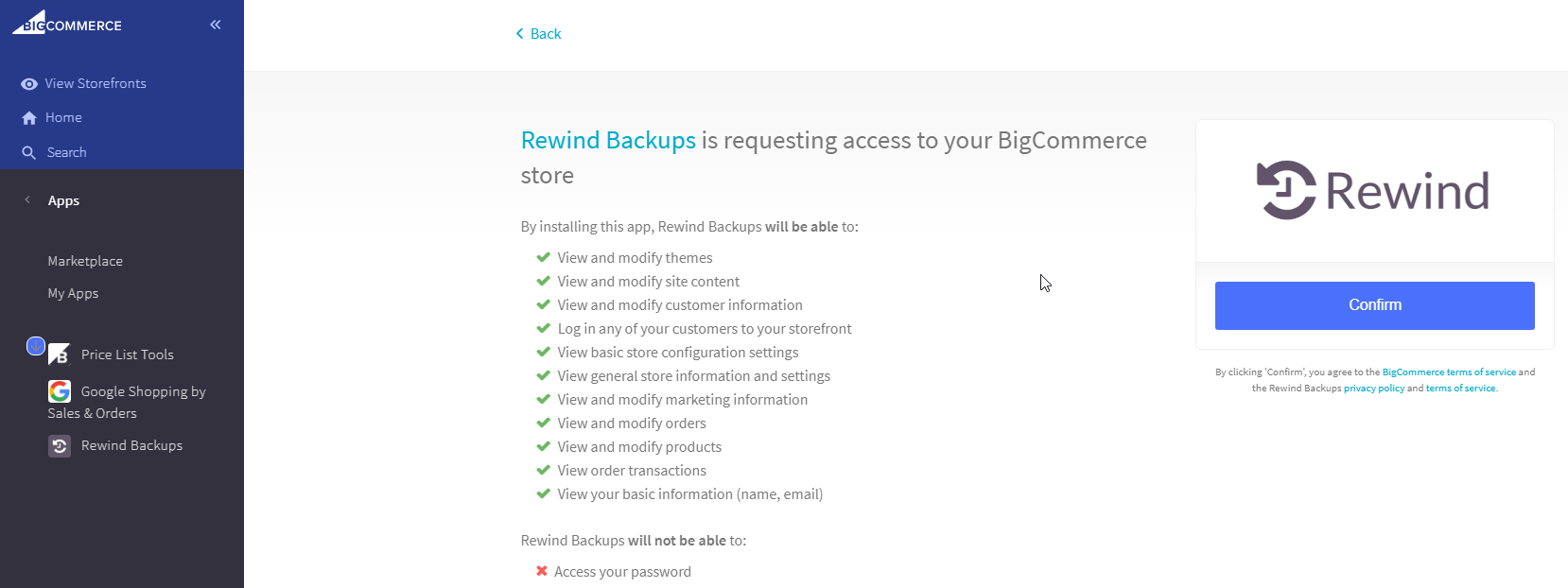
Once granted, the app can request a permanent access_token for making REST API requests on the user’s behalf.
Single-click apps can use App Extensions.
Connector
Connector apps use manual OAuth token creation instead of the single-click app flow. Store owners and authorized users manually generate store-level API credentials and enter them into the app’s configuration. While we recommend single-click apps, the following use cases might not be compatible:
- Customized integrations that vary per store.
- Integrations that do not provide any content for an iFrame.
- Apps that do not provide web services for OAuth exchange (ex: native order sync app).
Visibility
There are three visibility options for apps: Draft, Unlisted, and Public.
| Visibility | Description | Use Cases |
|---|---|---|
| Draft | Apps registered in the Developer Portal but never submitted for approval | |
| Unlisted | Apps submitted and approved but not listed on the App Marketplace | |
| Public | Apps submitted, approved, and listed on the App Marketplace |
- Only approved partners can create unlisted apps.
- To have an app unlisted, contact [email protected].
Next steps
Resources
Related articles
Sample apps
Tools
- Node API Client
- Python API Client
- PHP API Client
- Ruby API Client
- Ruby OmniAuth Gem
- BigDesign Developer Playground
- Figma Component Library
Blog posts
- How to Test App Authentication Locally with ngrok
- Building a BigCommerce App Using Laravel and React
- BigDesign Tutorial